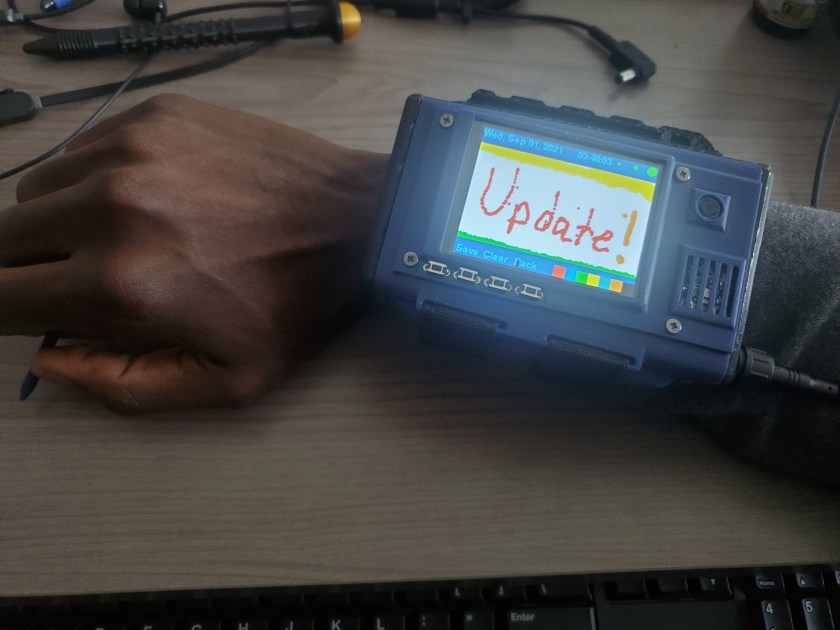
The Main components of this update are:
- Touch Display
- Onboard Modules
- Stylus
- Apps
- Serial Peripheral Interface
Touch Display
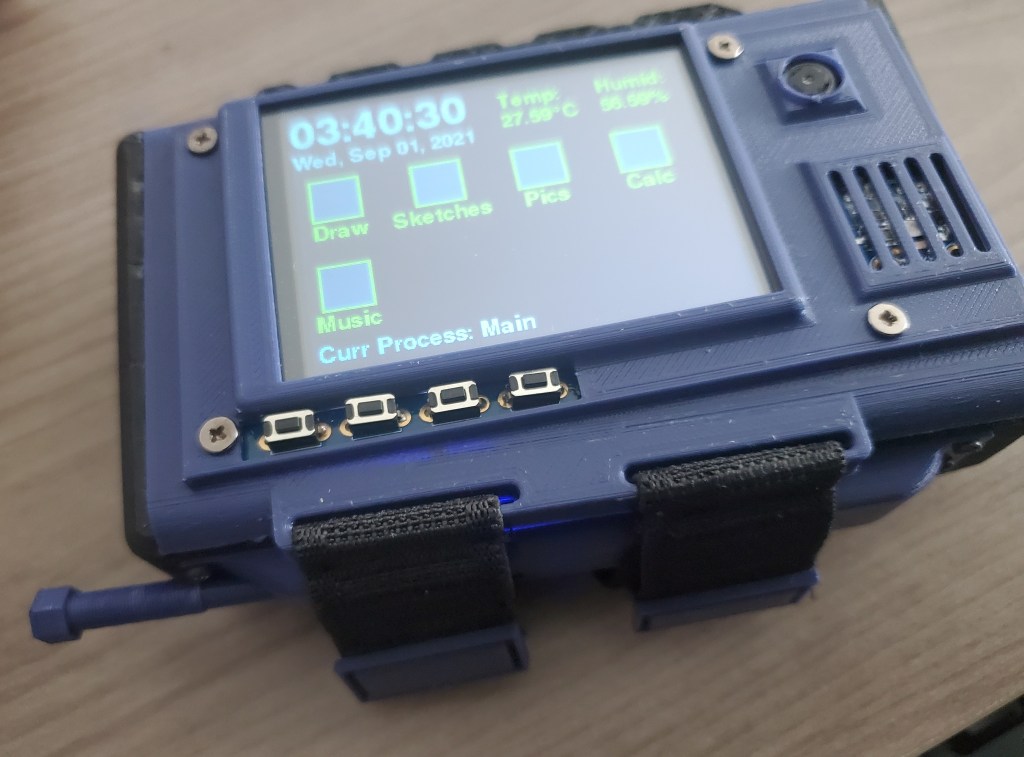
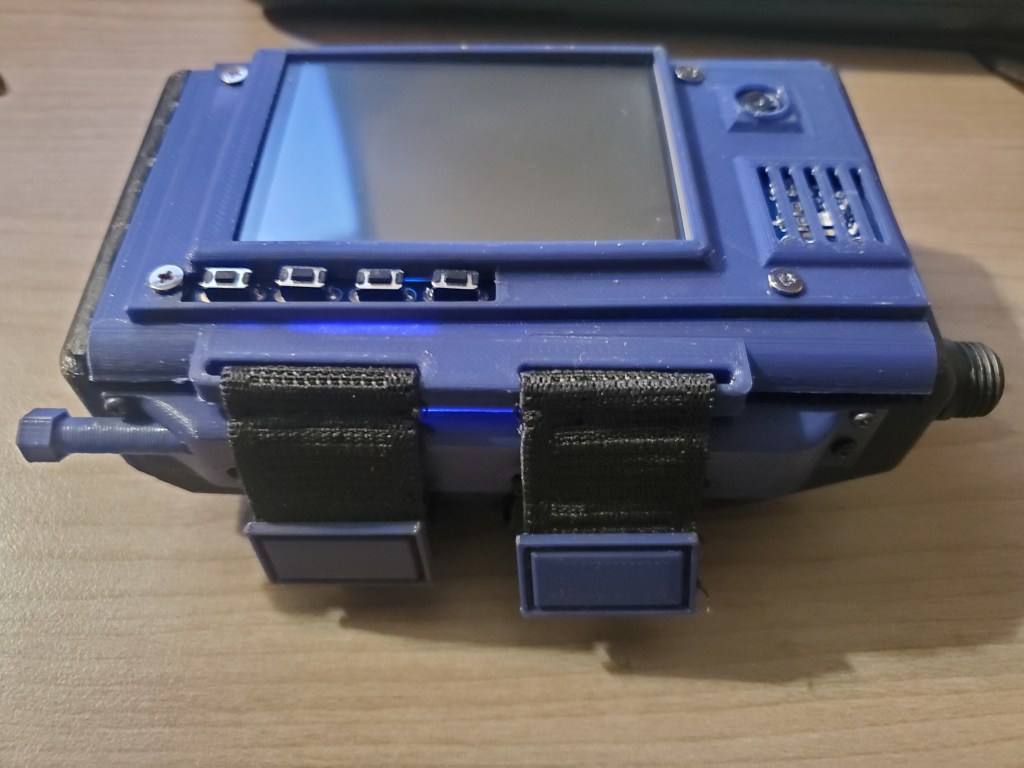
I switched back to a PiTFT resistive touch display. This display is slightly different than the previous touch display I had used. This version of the PiTFT is an older version. This is the last display that my local electronics store had in stock. The headers on the underside were easier to remove and replace than the previous version. The location of the buttons are different than the previosus version, and it was more difficult to model the lid to fit around them. For now, I just left the buttons exposed. I replaced the headers of the display with angled headers that lets me attach the Raspberry Pi Zero W while remaining compact enough to close the lid.
Onboard Modules
There are two modules that I add to the device, and real-time clock (RTC) board, and a temperature and humidity sensor.
- Temperature & Humidity Sensor Breakout Board: https://www.mouser.com/ProductDetail/Adafruit/3251?qs=DJieTMTAD3WAE3SOd7%2FRQw%3D%3D#.YS-1I5s_SUg
- Real Time Clock Breakout Board: https://www.adafruit.com/product/3295
Given one of the lessons learned from the Spy Kids movies, this device should at least be able to tell time, aside from the many other things I plan it to be capable of.
I had wanted to include the temperature and humidity sensor in the project from the start. The only question was whether to have it in the wrist worn device, or in a serial connected peripheral. I decided for the wrist-worn device because it will always be exposed to the immediate environment.
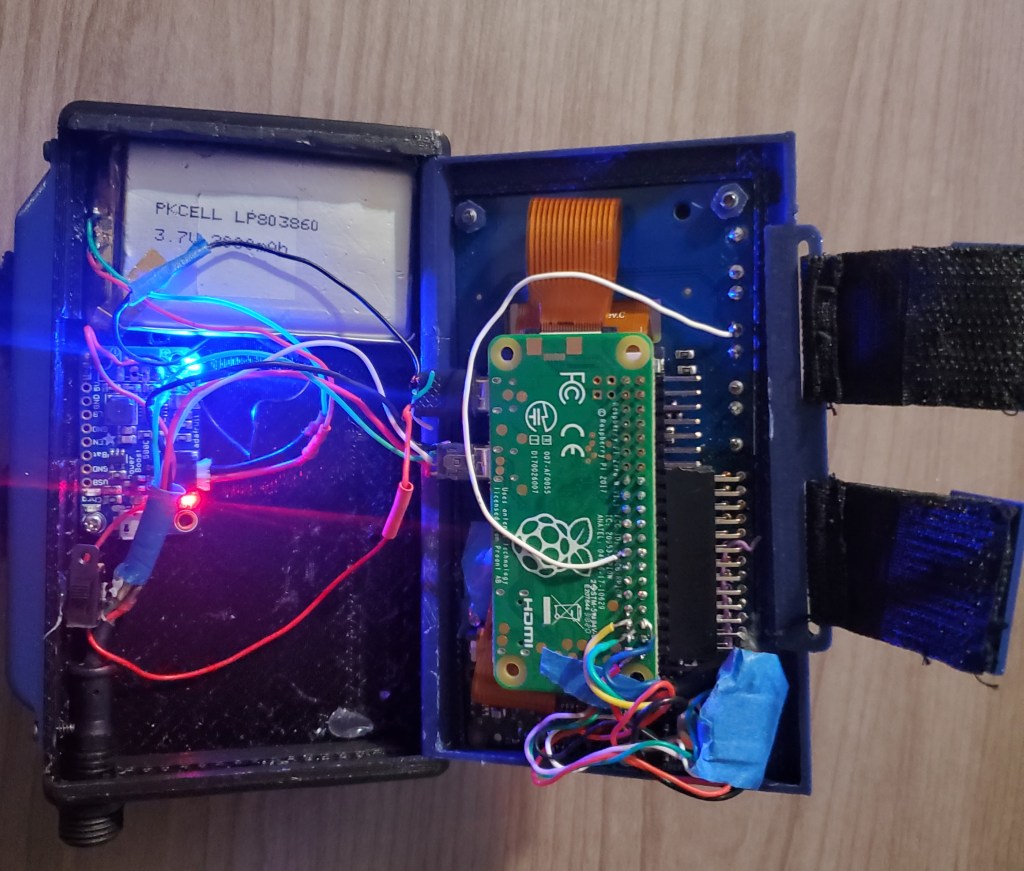
Both boards communicate with the Pi via I2C. The RTC board requires a CR1220 coin cell battery. This powers the board to keep the time even when the device is powered off.
It took a bit of work to get the RTC, temp board, and camera module to fit compactly into the lid. I’ll definitely revisit this configuration design later. I added some vents to expose the humidity sensor the the open air.
Stylus
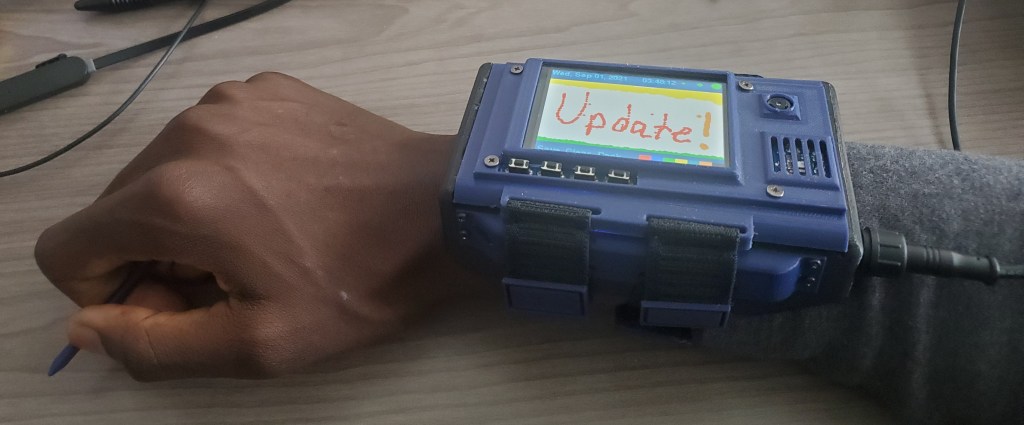
I didn’t plan on adding a stylus to the project, but I consistently used a pen cap tip to get fine touch readings when programming touch presses. I figured a simple stylus would be useful, especially once I wrote some apps like for drawing or a calculator that required more precise touch. The stylus’ back end has a threaded section that twists into place into the holder that is attached on the side of the device. The stylus holder also has the loops for the straps built-in.
Apps
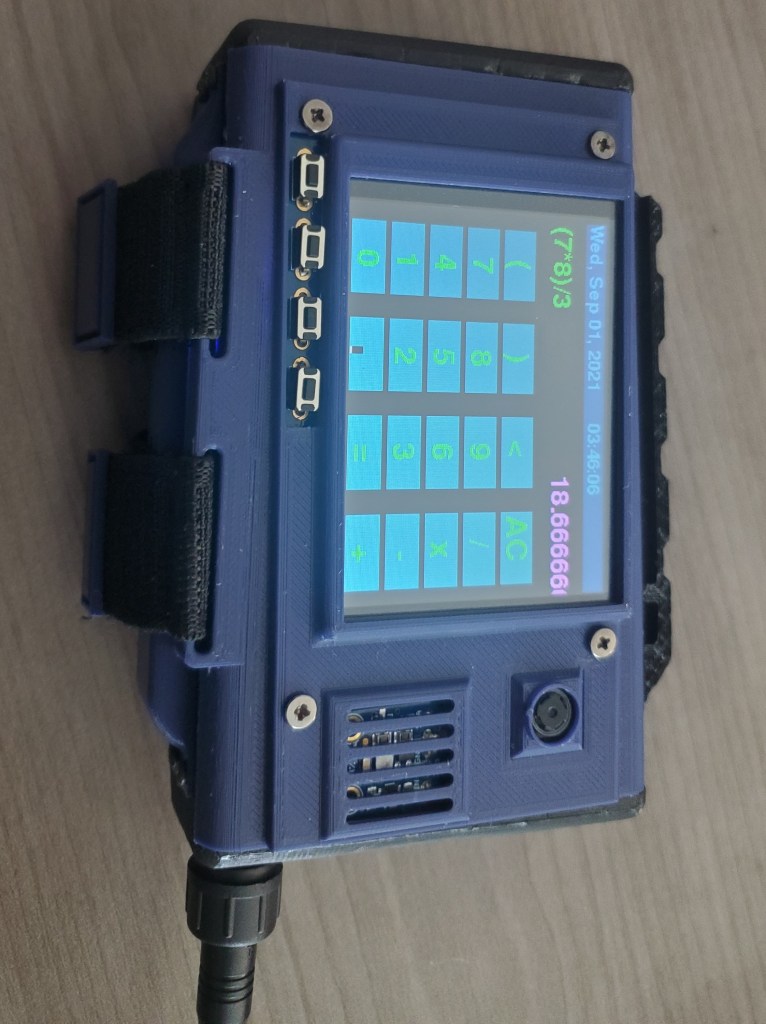
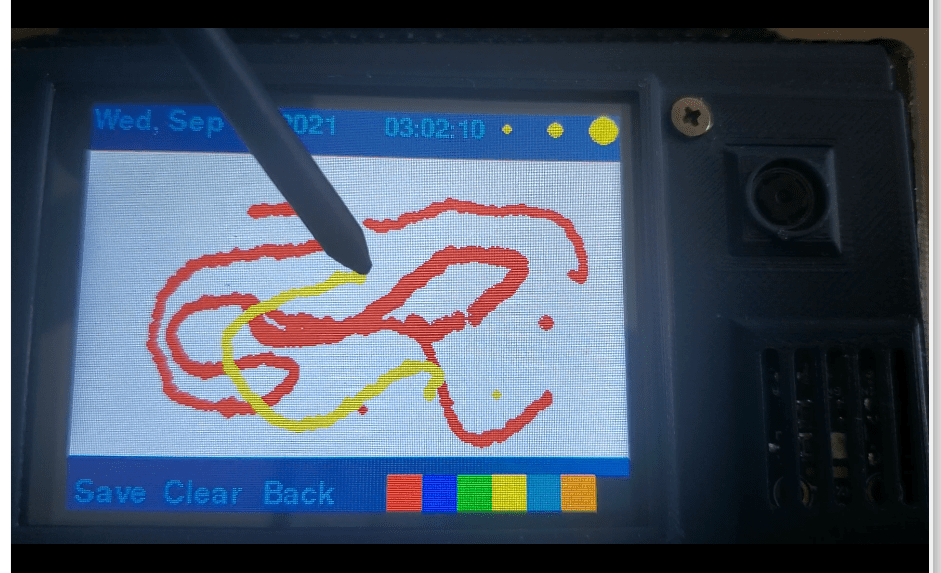
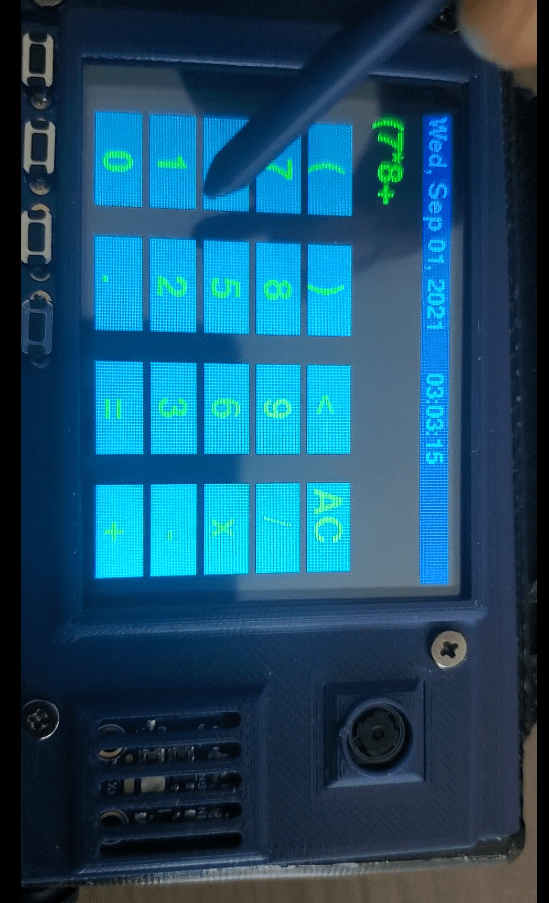
There were two applications that I wanted to have on the device just to make sure the touch screen was working properly. These were a drawing app and calculator. These took more time than I expected, and there are still some hiccups. The drawing app would draw a Pygame circle wherever a touch is sensed within the drawing space. This post provided a useful way to have the screen dimension match the touch dimensions and a refresh function.
https://www.raspberrypi.org/forums/viewtopic.php?t=234087#p1437451
The drawing app also has color options, size options, can save drawings, and clear the drawing canvas.
The calculator is pretty basic, but I’m am very proud that I got it to work. The touch feature isn’t the best yet so sometimes it will register a signal character press twice or three times.
There are two picture viewers as well. They are the same code with different directories referenced. the Sketch app scrolls through the saved sketches from the drawing app. The pics app runs through an images directory of jpegs.
There is a music app that is in progress. When connected to my Pi 3B+, which is in a backpack, it sends play/pause, next/back commands to the ‘big’ Pi. I have an earbuds connected to this. Most older backpacks have that rubber covered opening for headphones. To finish, I will have the big Pi send playback data to the wearable device to display. This will be like the currents song, artist, etc.
Serial Peripheral Interface
The music apps runs through the serial interface, but this mostly applies to using the wearable device with some university work I am doing. For this, the device communicates with a PC to run the programs I am working with while I perform trial runs. This is useful because my project involves pedestrian navigation and it would be a pain to hold onto, or constantly pull out, the laptop with a bunch of cords and cables attached to it.
More to come.

 Booman's Workshop